
The Punjab Government has launched the official Parwaz Card portal: parwaaz.psdf.org.pk. This program provides interest-free financial assistance and other facilities for skilled young Punjabis seeking employment abroad. The guide below is completely step-by-step — covering how to create an account, what to fill in the form, and which documents to keep ready.
What is the Parwaz Card and What Expenses Does It Cover?
The Parwaz Card is a targeted assistance program that helps outgoing workers with pre-departure costs. Generally, it is useful for the following expenses:
- Visa processing fees
- Medical examination charges
- Overseas Employment Promoter (OEP) fees
- Airfare expenses
- International skill certification (where required)
- Mandatory pre-departure training
Eligibility Criteria for Parwaz Card Registration Portal 2026
Before applying for the Parwaz Card, ensure you meet the following conditions:
- Age: Minimum 18 years
- CNIC: Must have a valid national identity card (CNIC)
- Residential Province: You must belong to Punjab
- Gender: Both male and female can apply
- Job Offer: You must have a confirmed job offer letter from abroad (from any country or company)
- Salary Condition: According to the hiring companies that have provided the job offer, your monthly salary should be less than 5,000 Saudi Riyals (these are the current conditions given on the portal)
Who Can Apply: OEP vs Applicant
The portal shows two main options:
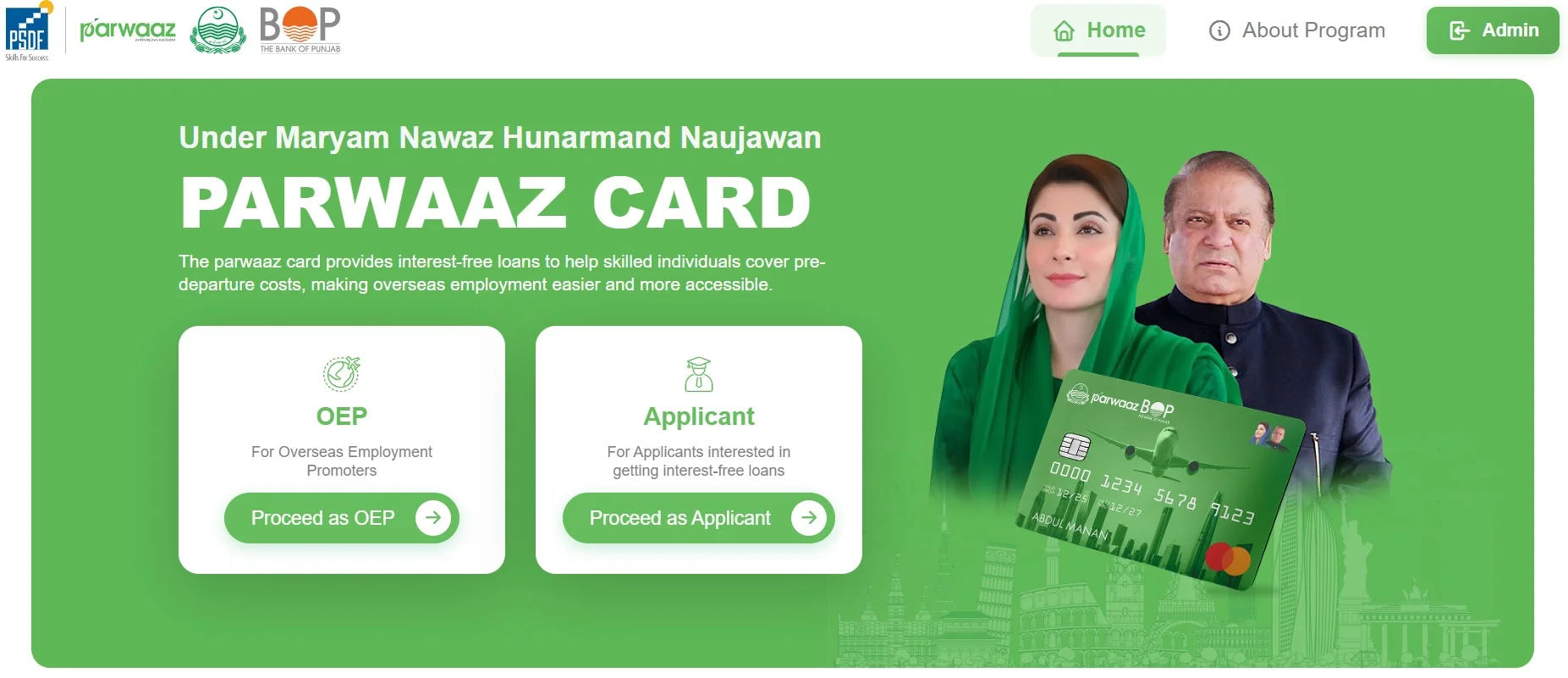
- OEP (Overseas Employment Promoter): Only for those companies that are officially registered OEPs and have a license. If your job offer is from a registered OEP, choose the OEP section and select the company from the list, and its details will appear.
- Applicant / General Applicant: General Pakistani citizens who want to apply for interest-free loans will choose this option.
Parwaz Card Online Apply
- Open parwaaz.psdf.org.pk and click on “Sign up for Parwaz Card.”
- Fill in the required fields: Full name, CNIC number, Phone number, Email address, and an easy password.
- After clicking Register, a verification code will be sent to your email. Verify your email by entering the code on the website.
Application Form — Section-Wise Guide
Once the account is created, the application form will open. Fill it carefully — some fields may be auto-filled.
1) Personal Information
- Choose Title (Mr/Ms, etc.)
- Full name will come automatically; enter Date of Birth according to CNIC
- Select Gender
- CNIC details: Enter CNIC number, date of issue, and expiry date
- Upload scanned copies of CNIC front and back
2) Family Information
- Father’s or Husband’s name (if female applicant, then Husband’s name), and their phone number
- If parents are not present, provide guardian’s name and number
- Mother’s maiden name; Marital status (Married/Single)
- Mention number of children (if none, enter 0)
3) Contact & Accommodation
- Phone and Email will be auto-filled
- Choose current house status: Own, Rent, Company provided, Parents’ house, etc.
- Choose accommodation type: Apartment, House, Portion, etc.
4) Permanent & Current Address
- Enter the address written on CNIC — flat/house number, street/avenue, neighborhood/village, city, district, and province
- If current address is the same, tick “Current address is same as permanent,” otherwise fill current address separately
5) Education
- Choose your highest education: Matric, FA, Graduation, or below
- Upload related certificate (Matric certificate or whatever is available)
- If you have vocational/technical training, choose “Yes” and select related sector and trade, and upload certificate
6) Employment Status
- Choose from Unemployed, Employed, or Self-employed
7) OEP and Job Offer Details
- If you want to use an OEP, choose “Yes” and select the company name from the list — the company’s license number and other details will appear automatically
- If your job offer is from a foreign company/country, mention Country, Organization/Employer name, Sector, and Trade
- Enter Position, Monthly salary, Expected date of joining, and Contract duration
- Placement demand number is optional; you can skip it
8) Required Documents (Documents to Upload)
The following documents are mandatory or considered necessary to upload:
- Job offer letter
- Passport copy
- Medical certificate
- Police character certificate
- Skill test certificate (if available)
9) Loan Application & Declaration
- If there’s a co-borrower, fill in their full name, CNIC, Organization, Designation, residential address, and two phone numbers (Residence and Office)
- You also need to mention where you learned about this opportunity (Social media, Institute, etc.)
- Read the terms & conditions, tick “I agree,” and press Submit Application
Punjab Parwaz Card Online Registration Portal
What to Expect After Submission
After the application is submitted, PSDF will review it. Upon approval, financial assistance will be provided through partner banks, and pre-departure training, legal, and documentation support will be given. Ensure that all supporting documents are correctly and clearly scanned so the process can be expedited.
Tips and Important Points
- Fill in the date written on CNIC correctly; incorrect information can lead to application rejection
- Read the salary rules carefully — apply only according to the conditions given on the portal
- Choose OEP only from the list of OEP-linked companies; only registered promoters will appear
- Scan all documents in high quality to avoid confirmation issues after upload
- For any confusion, read the instructions and help section available on the portal
Conclusion of CM Punjab Parwaz Card
The purpose of Parwaz Card 2026 is for skilled citizens of Punjab to go abroad for employment in a legal, safe, and financially supportive manner. By creating an account on parwaaz.psdf.org.pk, applicants can easily apply with supporting documents. Keep all documents ready before applying and fill in correct information according to the instructions given in the form.
If you are preparing to work abroad and need help with pre-departure expenses, applying for the Parwaz Card can be a useful step.
Pingback: Complete Guide to CM Punjab Parwaz Card 2026 | Online Apply